Grampus
A downloadable tool for Windows, macOS, and Linux
Grampus
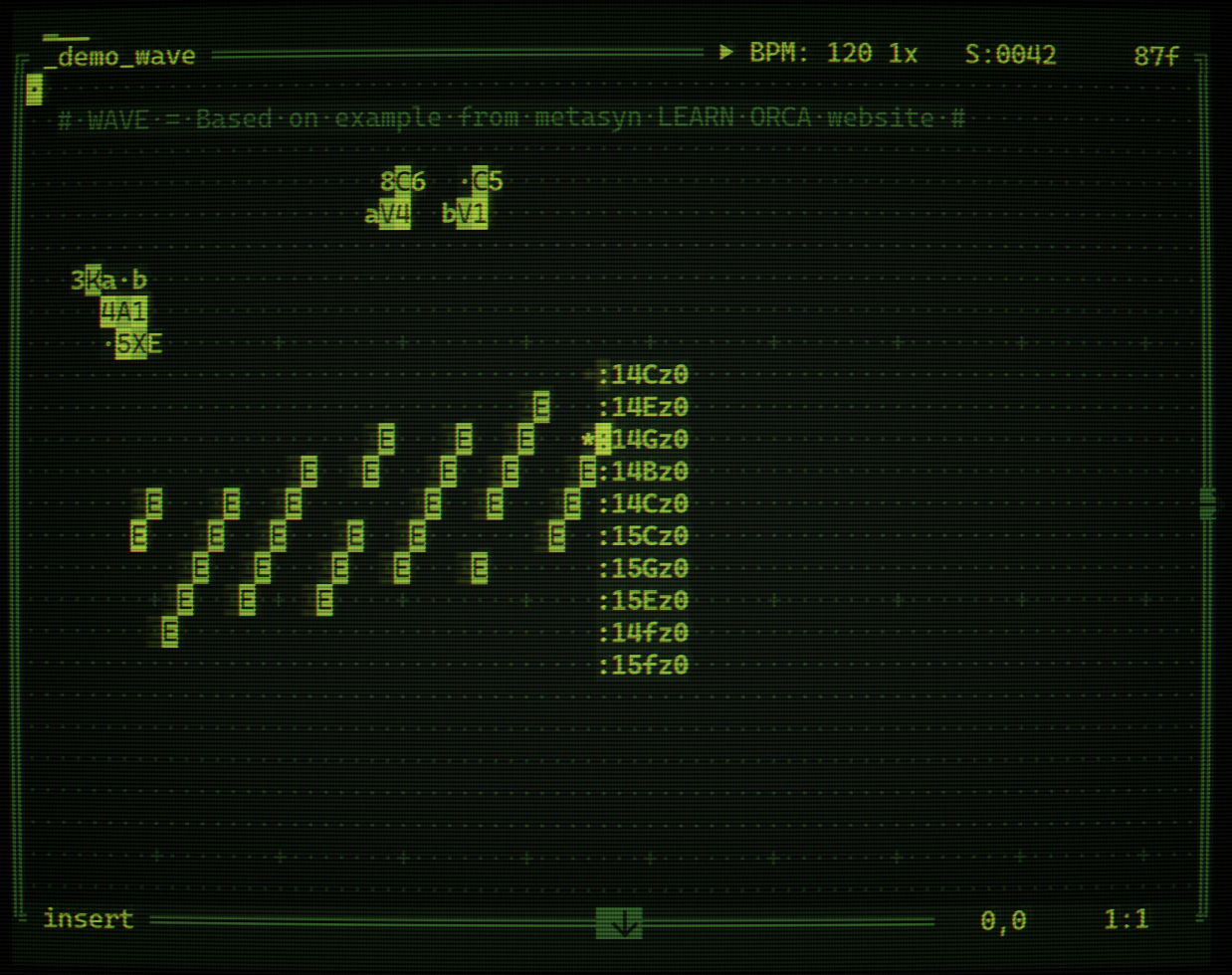
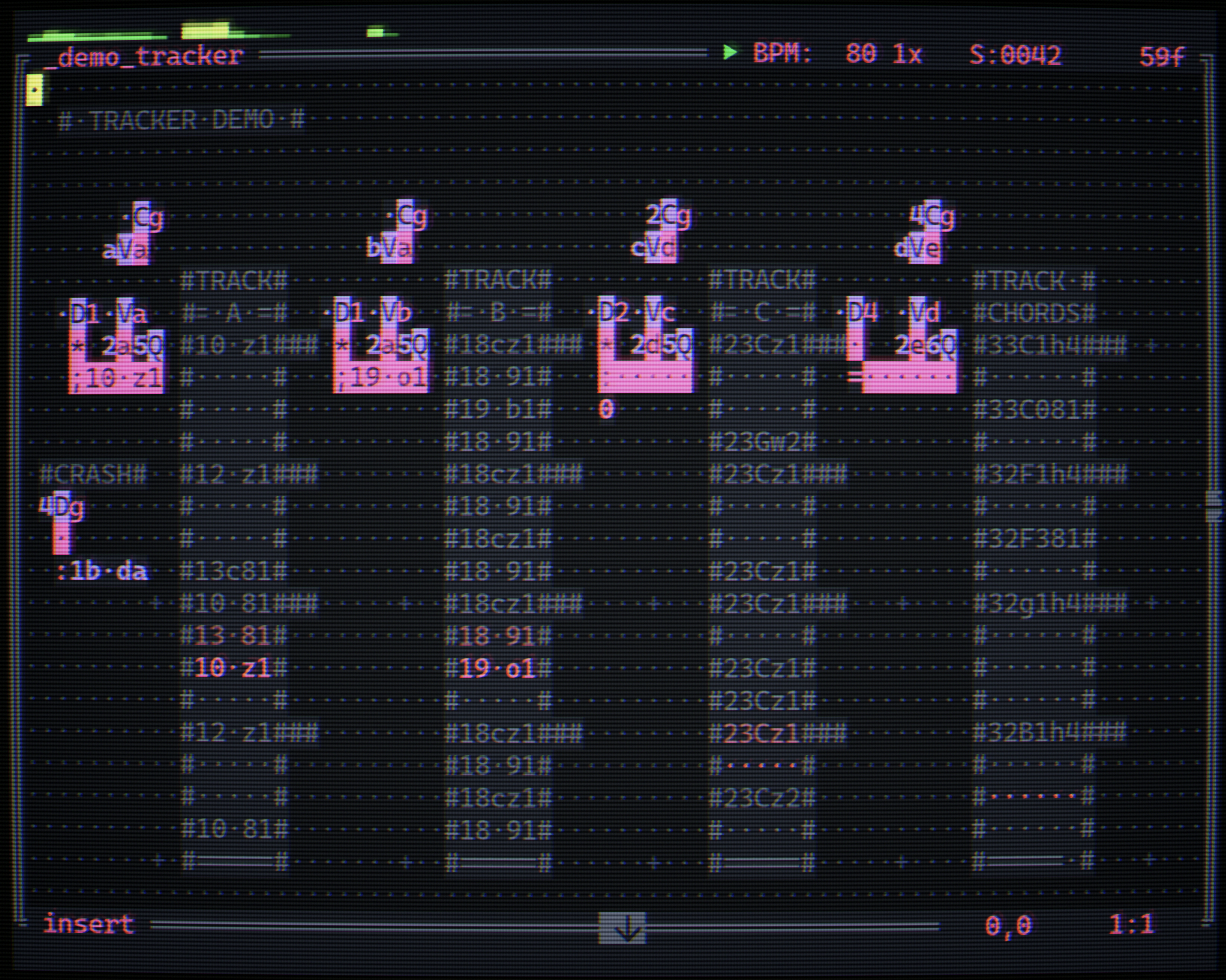
A terminal-based live-coding sequencer with built-in synth engines.
The sequencer is a modified descendant of Orca-C , the grid-based esoteric programming language by Hundred Rabbits / Devine Lu Linvega. Grampus keeps the tick-driven dataflow model and most of the original operator set, and adds operators for chord / scale handling, arpeggiation, an LFO bouncer, per-track parameter writes, and a few quality-of-life additions for working with internal synths.
You write procedural music by placing single-character glyphs on a 2D grid. Each tick of the clock walks the grid, fires operators, sends notes and parameter changes to eight polyphonic synth tracks plus a master effects bus, and renders the whole thing in real time through your audio output.
Nine built-in synth engines
Switch any track between these on the fly! Every engine shares a common (up to) 36-parameter layout, three per-track LFOs, and a master bus for global effects.
- Drifter: Detunable analog-style oscillators with wavefolding
- Warper: Wavetable oscillator with FM / PM / sync warp modes
- BrokenFM: 6-op FM synth with 21 presets and morphing macros
- String: Karplus-Strong plucked string with damping control
- ROMpler: Sample-based kits (drums, one-shots, pitched instruments)
- LoFiTron: Tape-replay style sustained instruments (strings, choir, organ, brass, flute, vibes)
- WaveSurf: 2D wavetable morph between two scannable wavetables, with per-axis pitch for layered intervals . Comes with 20 baked in wavetables you can mix and match.
- SynDrums: Synthesized drums with optional sample based transients layered on top. BD, SD, CLAP, TOMS, CYMBALS synth engines and 20 assorted transient layers.
- BoneSaw: SuperSaw/Square with optional SubOsc and smooth morphing between saw and square waves.
Master effects bus
Stereo ping-pong delay (16 musical divisions), reverse delay, fundsp-powered FDN reverb with PSOLA pitch-shifted shimmer, granular textures inside the delays, always-on tape-hiss + vinyl-dust loops, FAT bus compressor with a single-knob macro, and a transparent safety limiter on the way out.
Live-coding ergonomics
- 9 LFO waveforms per slot, three slots per track, route to up to three params each
- Per-engine presets! Switching engine type (hopefully) remembers your tweaks per engine
- Param interpolation built into the
!operator (in case you need smooth-ish filter sweeps from the grid) - Spectrum analyser per track, rendered above the grid
- Undo/redo for both grid edits and parameter changes
- Copy/paste regions on the grid and copy/paste whole tracks across pages
- 14 built-in themes
Controls
Keyboard-first on desktop, with full gamepad support designed around grid-editing ergonomics (D-pad navigation, shoulder combos for cut/copy/paste/undo, on-screen keyboard for glyph entry).
Platforms
| Platform | Notes |
|---|---|
| macOS Apple Silicon | Signed & Notarized |
| macOS Intel | Signed & Notarized |
| Linux x86_64 | Requires ALSA (libasound2)
|
| Linux ARM64 | Requires ALSA |
| Windows x86_64 | Experimental |
Recommended terminal size: 78×30 or larger.
It's highly recomended to use a modern terminal emulator such as iTerm2, Kitty, Rio etc with a monospace nerd font.
Windows build is experimental. Some users reported using Cmder terminal helps with various keyboard related issues.
Learning Resources
There's a README.md file included in the downloads. It's in Markdown format. It's human-readable with any text editor, but I strongly suggest using an app that supports Markdown format to view it with better formatting. Worst case scenario, you can paste it into a Markdown viewer website like this to read it properly. I highly recommend reading it because it contains fundamental information covering all grid operators and how they behave, along with details about the synth engines.
IMPORTANT:
- ‼️CTRL+H is your best friend! (R1+Start on gamepad)
- ‼️You may need to enable "Option as Meta Key" in some terminals (e.g: macOS default terminal), otherwise Alt+Key combos don't work. (most decent terminals have this on by default)
If you don't know how to do this, it takes ~10 seconds googling it :) - metasyn's LEARN ORCA website is probably the best resource to learn ORCA.. What you'll learn there is 90% transferrable to Grampus. Once you get more familiar with ORCA basics, the custom operators or minor changes to vanilla ORCA operators in Grampus is extremely easy to grasp.
TrimUI Brick Version
A TrimUI Brick version is available on PakStore (you'll need NextUI on your Brick).
Here are the main differences of Brick version:
- Drifter, Warper, BrokenFM and String engines 4-voice polyphony (compared to 8 on desktop version)
- Some engines do cheap antialiasing for waveforms
- Polivoks style filters don't use 2x oversampling
- By default, Brick version runs at 32kHz sample rate (Medium quality) but ONLY on Brick version, you have a Quality option on Esc(Select) Menu. High is 48kHz, Medium is 32kHz, Low is 24kHz
- Grain count and Shimmer quality is slightly reduced compared to desktop versions
- In most cases, you'll be able to achieve ~16 polyphony even on high setting, but if things start to choke, either lower your quality setting or try to optimize your project by doing one or more of the following:
- use less polyphony
- use ":" operator (monophonic) instead of ";" operator (polyphonic) where applicable
- set Stereo parameter on your synth engines to "h" to effectively make them mono (but still polyphonic) to halve the cpu cost of filters and some pre-filter distortion algos that run per note
- if one of your tracks is a Drifter or Warper with close to vanilla raw waveform shapes, consider using ROMpler's basic waveform shapes (Sine, Saw etc) ROMs. they cost much less than Drifter or Warper, while still being antialiased until C8 (since ROMpler waveforms use per note single-cycle waveforms)
- it pains me to say this but as a very last resort, maybe turn off Grains or Shimmer on Master page
by boorch
Music projects under Bruce Menace and Cometary Trails.
Download
Click download now to get access to the following files:
Development log
- v1.2.0: Additional transients62 days ago
- v1.1.192 days ago
- v.1.1.0: Sidechain Compressor92 days ago
- v1.0.0: ROMpler Humanize, LoFiTron Tape FX, Flanger, Reset Tick Operator92 days ago
- v0.9.3: 16 new wavetables93 days ago
- v0.9.0: Scenes, Track Randomizer94 days ago
- v0.7.0: BoneSaw engine + Polivoks Filters96 days ago
- v0.6.1: Scale operator fix97 days ago